Make the complicated usable.
We turn complex information, services and processes into digital experiences people can understand, navigate and act on.
That could be a website, an interactive tool, an accessible resource, a consultation pathway or a better way to organise and deliver information behind the scenes.
We start with what people actually need to know, decide, complete or respond to — and what the organisation needs to keep accurate, accessible and manageable over time.
Then we bring together content, UX, accessibility and technology to make it work.
Clear enough to use. Robust enough to run.
What we do
From a focused website to a complete participation pathway, we shape the work around the information, people and operating environment — then build only what the project needs.
Web & digital products
We design and build digital things that have a job to do.
Public websites, service information, interactive tools, portals and small purpose-built applications — designed around what people need to find, understand or complete.
We work from the information and user journey outwards, rather than starting with a template and trying to squeeze the problem into it.
Engagement & participation
Make it easier for people to have a say — and easier for organisations to do something useful with what they hear.
We design consultation and participation experiences that make the purpose clear, reduce unnecessary friction and give people more practical ways to respond.
That can include community consultation, surveys, submissions, feedback tools, project engagement pages and purpose-built digital participation experiences.
Accessible information
Important information should not become harder to use because of the way it has been designed or delivered.
We help organisations turn complex information into clearer, more usable digital and accessible-format experiences.
That might mean restructuring a difficult webpage, redesigning a document, building an interactive alternative to a long PDF, or creating several ways for people to access the same information.
Content & communication
Sometimes the technology is fine. The information inside it is the problem.
We help organisations work out what needs to be said, where it belongs and how people should move through it.
That includes large or messy websites, service information, policy-heavy content, public information, project communications and material that has accumulated across different teams and systems over time.
Our direct capability is accessible-format and plain-language production. Where a project requires professional language translation or interpreting, that work is scoped with appropriately qualified external providers rather than represented as an in-house service.
How we work
A clear delivery process makes complex work easier to govern. Each stage produces something that can be reviewed, tested and approved before the project moves on.
Understand
Clarify the audience, objectives, constraints, source information, accessibility requirements and measures of success.
Structure
Turn complex information, service steps or consultation requirements into a clear user journey and content model.
Design
Prototype the experience early so people can test the logic before the project commits to unnecessary build complexity.
Build
Develop responsive, maintainable digital products using technologies appropriate to the scope, risk and operating environment.
Test
Test functionality, content, accessibility, devices, browsers and real user pathways against the agreed requirements.
Hand over
Provide source assets, practical documentation, training and a clear path for ongoing maintenance or support.
Accessibility is part of the product
Accessibility is not a badge added just before launch. It affects the content model, interaction design, technical implementation, testing and the way future updates are made.
At the beginning of a project, we agree what accessibility needs to be achieved and how it will be tested. The work is then designed and tested against those agreed accessibility requirements.
- Semantic structure and meaningful reading order
- Keyboard-accessible controls and visible focus states
- Clear labels, instructions, errors and next steps
- Captions, transcripts and text alternatives where appropriate
- Reduced-motion options and non-animated alternatives
- Plain-language pathways and usable content hierarchy
- Options for low-bandwidth access and smaller screens
- Accessibility testing, remediation and content-authoring guidance for client teams
Selected work
A selection of client work, independent projects and experimental builds showing how we approach different kinds of digital problems — from full product delivery to accessibility, community information and public-facing experiences.
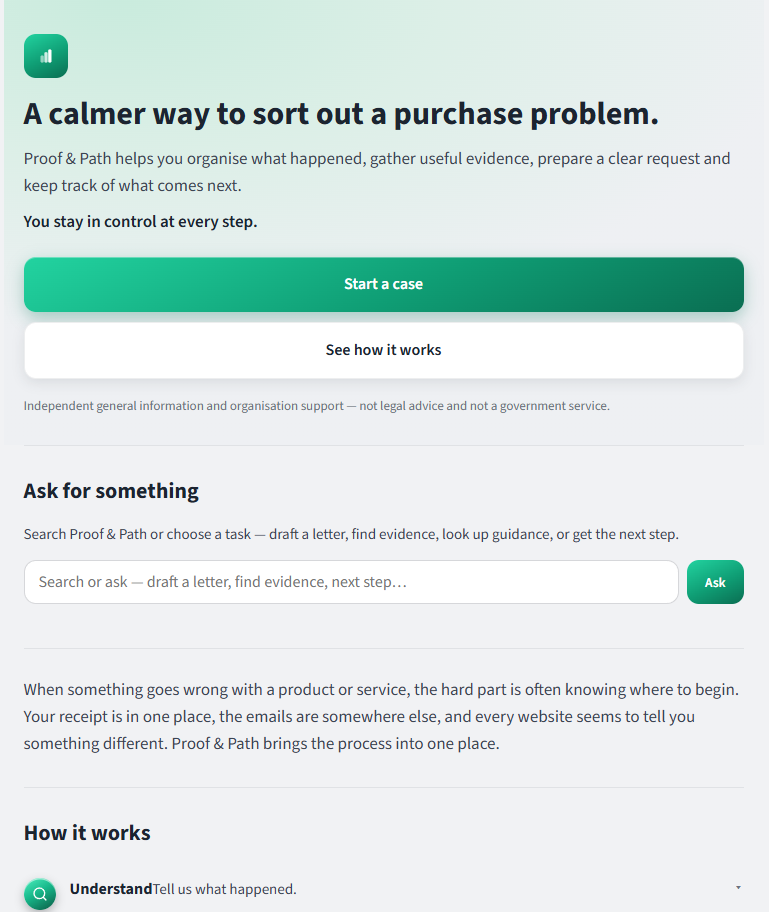
Proof & Path
A consumer-navigation product that turns a stressful purchase problem into one clear path: understand, gather, prepare, act, track, escalate. We took Proof & Path from concept through UX, product architecture and a working application, including accounts, evidence handling, document exports, timelines and the privacy and data systems underneath it.
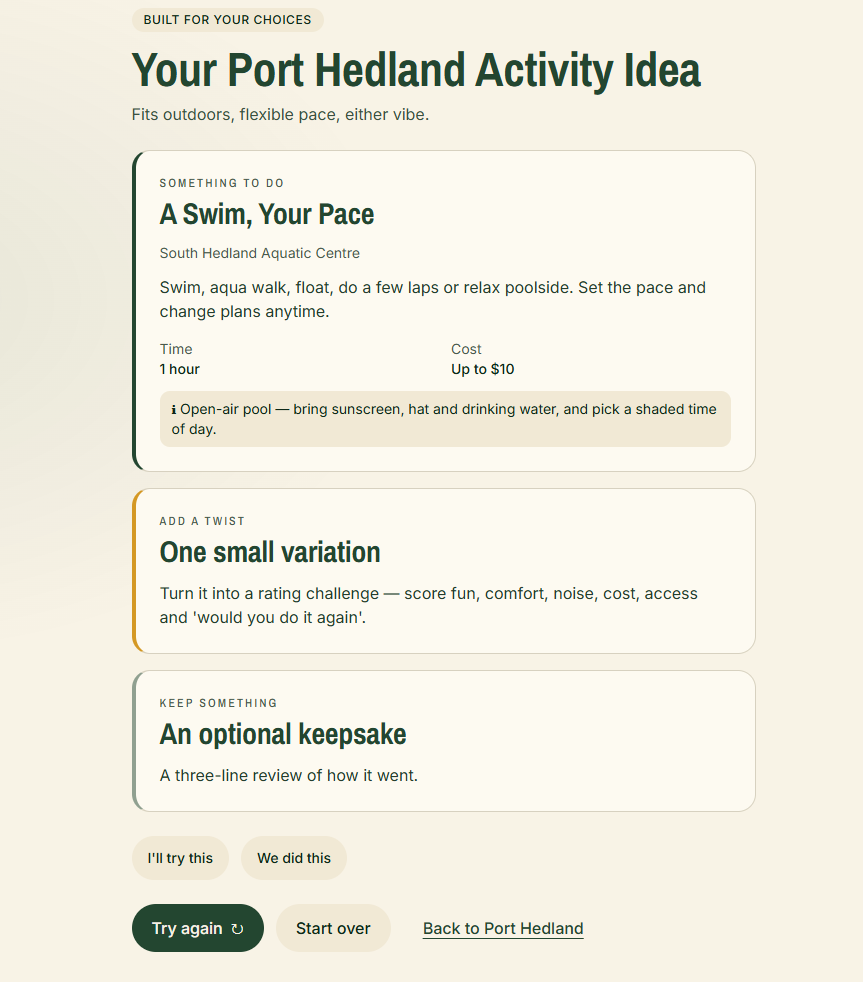
Hedland Happenings
Regional communities are full of things to do, but finding useful, current information can still mean jumping between calendars, social pages and word of mouth. Hedland Happenings brings local events and everyday activity ideas into one simple, mobile-first experience designed around the question people actually ask: what can we do today? It combines local information with a guided activity builder, helping turn an ordinary day into something easier to plan, explore and enjoy.
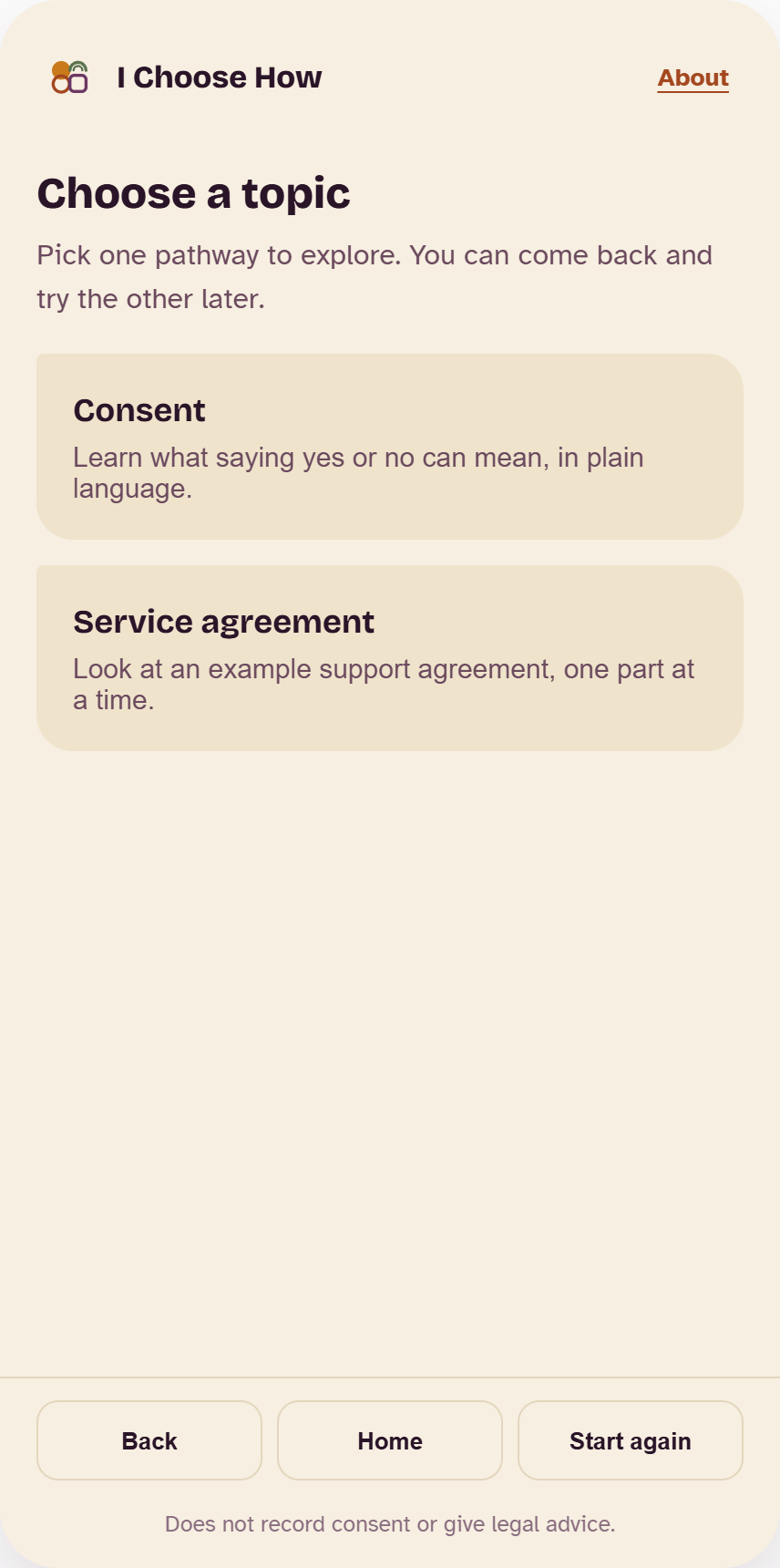
I Choose How
Most digital information assumes everyone wants to read, understand and respond in the same way. I Choose How explores a different model: letting the person choose how information is presented and how they want to engage with it. Reading, listening, visual pathways, supported responses and extra time are treated as part of the experience itself — demonstrating how accessibility can shape the structure of a digital service rather than being added after the design is finished.
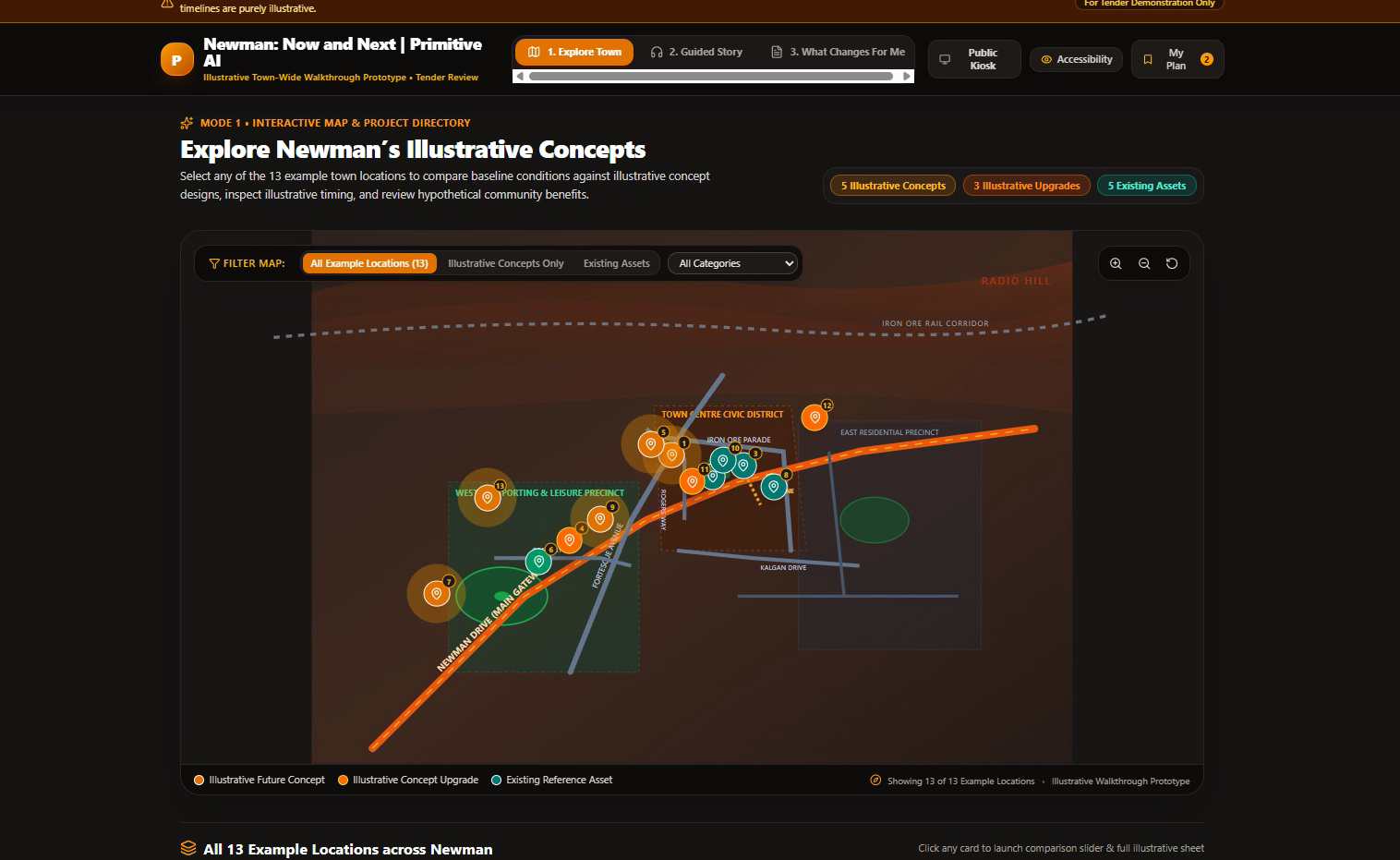
Making change easier to see
Community projects can become difficult to understand when plans, existing places, future changes and supporting information are spread across reports and static documents. We built an interactive prototype exploring a clearer way to communicate that story — combining maps, visual layers and guided explanations so people can move between what exists now, what is proposed and what it could mean for the place around them. The concept demonstrates how complex public information can become a more understandable, visual and explorable digital experience.
Engagement tools that close the loop
Collecting responses is not the same as engagement. A useful participation system helps people understand why they are being asked, contribute in a way that works for them, and see what happened after the decision.
Invite
Use clear, audience-appropriate invitations that explain the purpose, timing and ways to take part.
Participate
Offer accessible survey, feedback or guided-response pathways with clear consent and privacy information.
Understand
Bring qualitative and quantitative input into a structure that supports careful analysis without erasing context.
Decide
Connect the findings to documented criteria, responsibilities and decision points.
Report back
Communicate what was heard, what changed, what did not change and what happens next.
Report back leads straight into the next Invite.
Where useful and appropriate, the system can also support stakeholder segmentation, multiple response formats, transparent summaries and follow-up communication.
Good engagement design makes its boundaries visible: who is being asked, why their input is needed, how it will be used and what cannot be promised. Where cultural knowledge or authority is required, we work within the role and relationships agreed for the project; we do not claim to speak for communities.
Working with public-sector and community organisations
Public and community-facing work has to be understandable to the user and defensible to the organisation. That means designing for review, approval and accountability as well as the front-end experience.
We do not add process for its own sake. We make the necessary governance visible enough that the work can move with fewer surprises.
Support after launch
Launch is a handover point, not an exit. Support can be scoped to the product, platform and capability of the client team.
Support scope, responsibilities, channels and response times are agreed for each project rather than hidden behind a vague promise of always-on support.
Have something complicated that people need to understand, use or respond to?
Tell us what needs to work. We’ll help work out what should be built.
Start a project